fix firefox glitch
Firefox (or Librewolf) has an annoying glitch on my systems under GNOME at 150% screen scaling. A black line at the top edge that occasionally appears. Actually the line has no opacity.
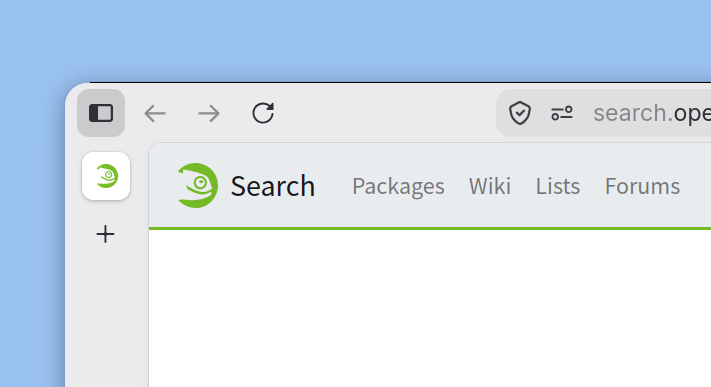 (The image was altered to make the glitch more visible)
This drives my mad, so I choose a simple solution: fix it with a custom theme!
I use the ADW-GTK3 theme for GTK3 apps, so simple theme which includes ADW-GTK3 (installed in ~/.local/themes/adw-gtk3/) works great.
I call the theme rounded (because of the corners) and it is installed in ~/.local/themes/rounded/gtk-3.0/. There create a gtk.css.
@import url("../../adw-gtk3/gtk-3.0/gtk.css");

window decoration {
  border-radius: 15px;
  box-shadow:
    0 3px 8px 0 rgba(0, 0, 0, 0.3),
    0 0 0 0 @headerbar_bg_color;
}
For a first test start firefox via terminal:
env GTK_THEME=rounded firefox
or
env GTK_THEME=rounded librewolf

To make the fix permanent, simply modify the .desktop file.
Firefox:
cp /usr/share/applications/firefox.desktop ~/.local/share/applications/
Then, in the firefox.desktop file, change the Exec line to the following:
Exec=env GTK_THEME=rounded firefox %u
Librewolf:
cp /usr/share/applications/librewolf.desktop ~/.local/share/applications/
Then, in the librewolf.desktop file, change the Exec line to the following:
Exec=env GTK_THEME=rounded librewolf %u